Add people to a project
You can easily add collaborators to your project. They may have different roles, either owners, editors or viewers.
In the project page:
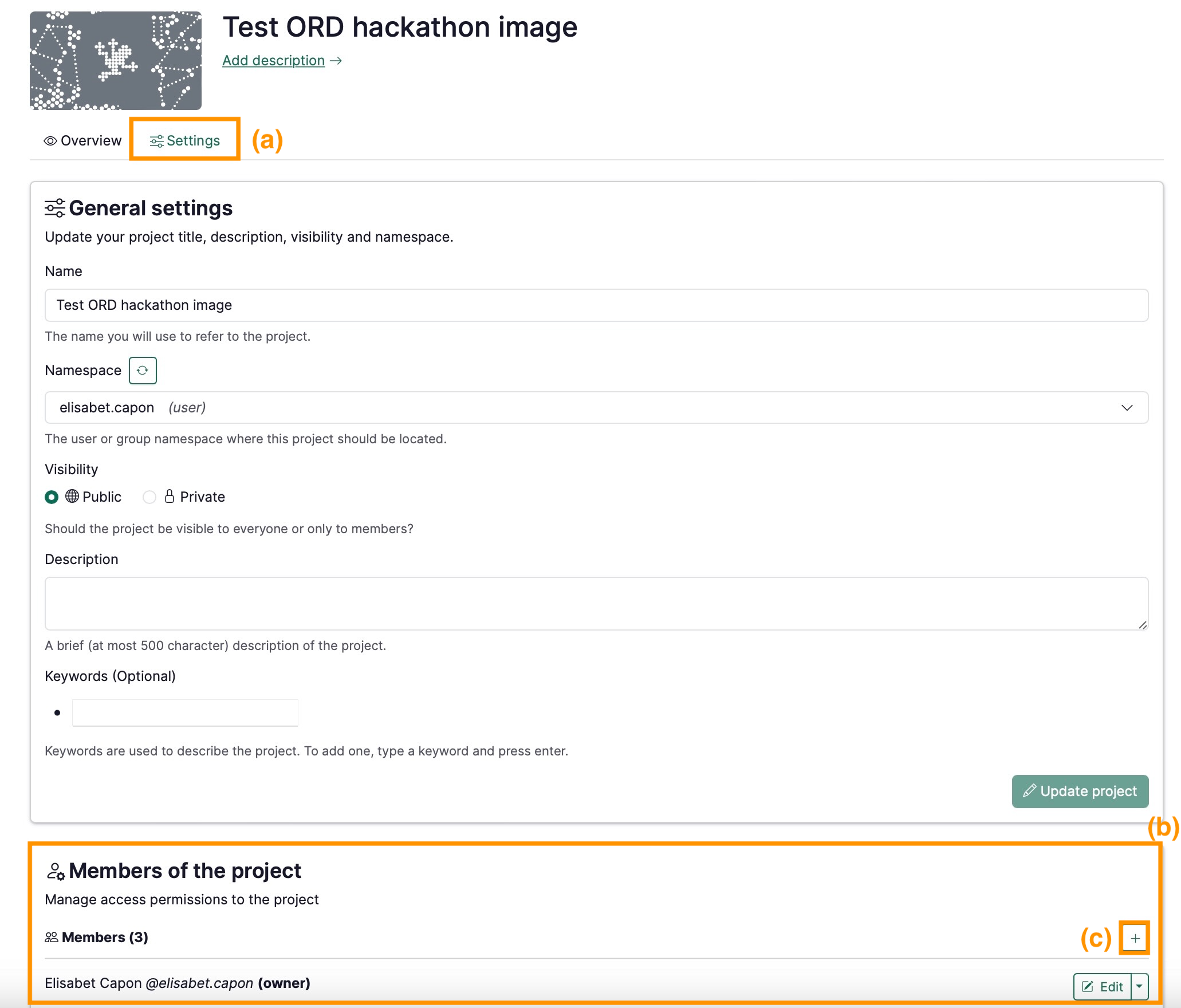
- Click on the Settings tab (a)
- Edit the Members of the project section (b)
- Click ➕ (c)
- Look up the user’s name
- Assign the role
- For more information about roles, see Permissions, Roles, and Access Rights
- Repeat for as many new members as you wish
info
Note that in order to add someone to a project, they need to have already created their account on RenkuLab.