Add keywords to a project
You can easily add keywords to your project. These metadata may help you in the search and keep your projects organized according to different topics. Remember that you can also add keywords to your data connectors!
In the project page:
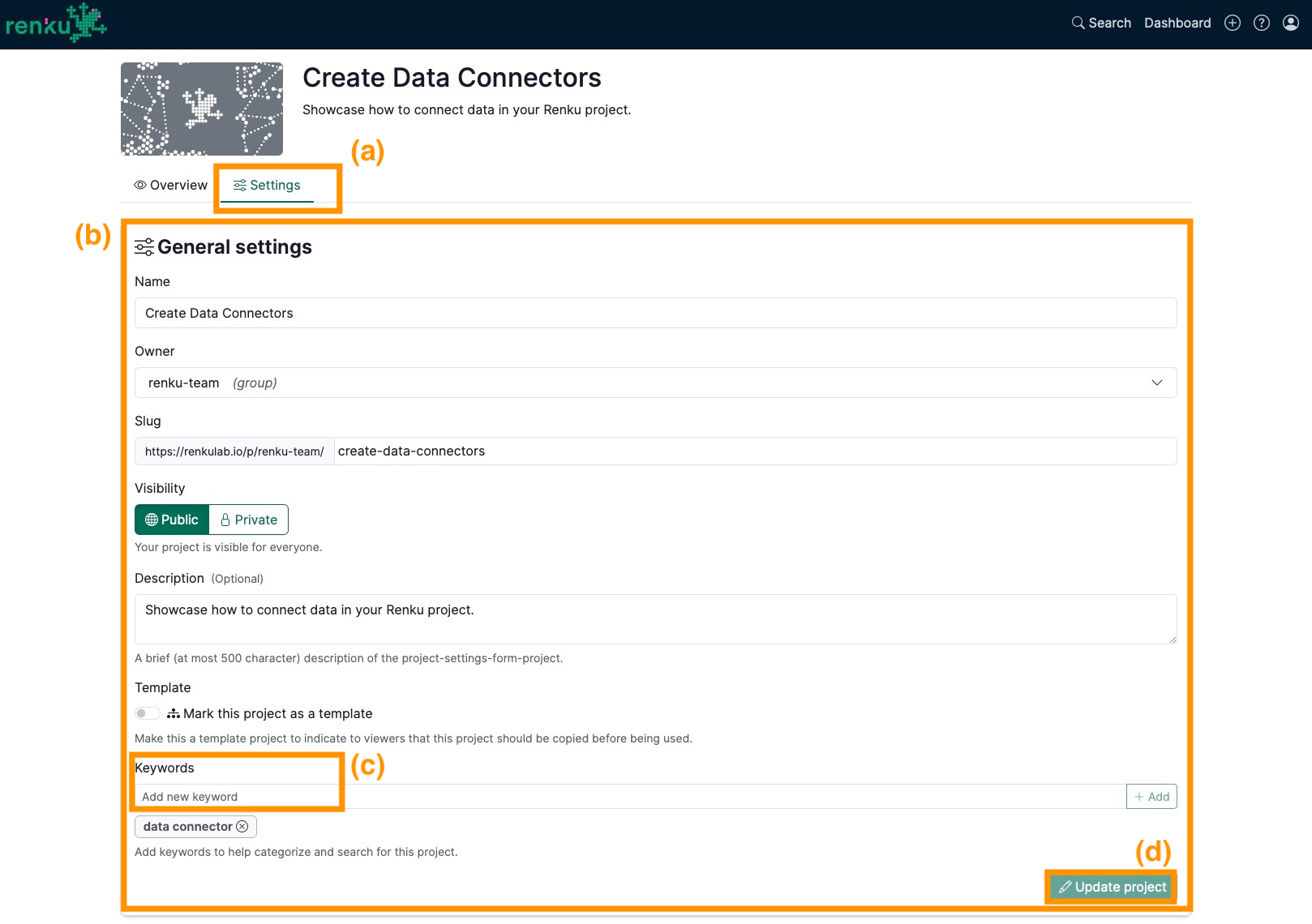
- Click on the Settings tab (a)
- Under General settings section (b)
- Inside the box under Keywords (c)
- Add a new keyword and press enter.
- Repeat the previous step for as many keywords as you wish.
- Click on the Update project button (d)