Reuse data from another Renku project
-
Find the Data connector that you want to add to your project. This may be on a project page, on a group page, or on your personal profile page.
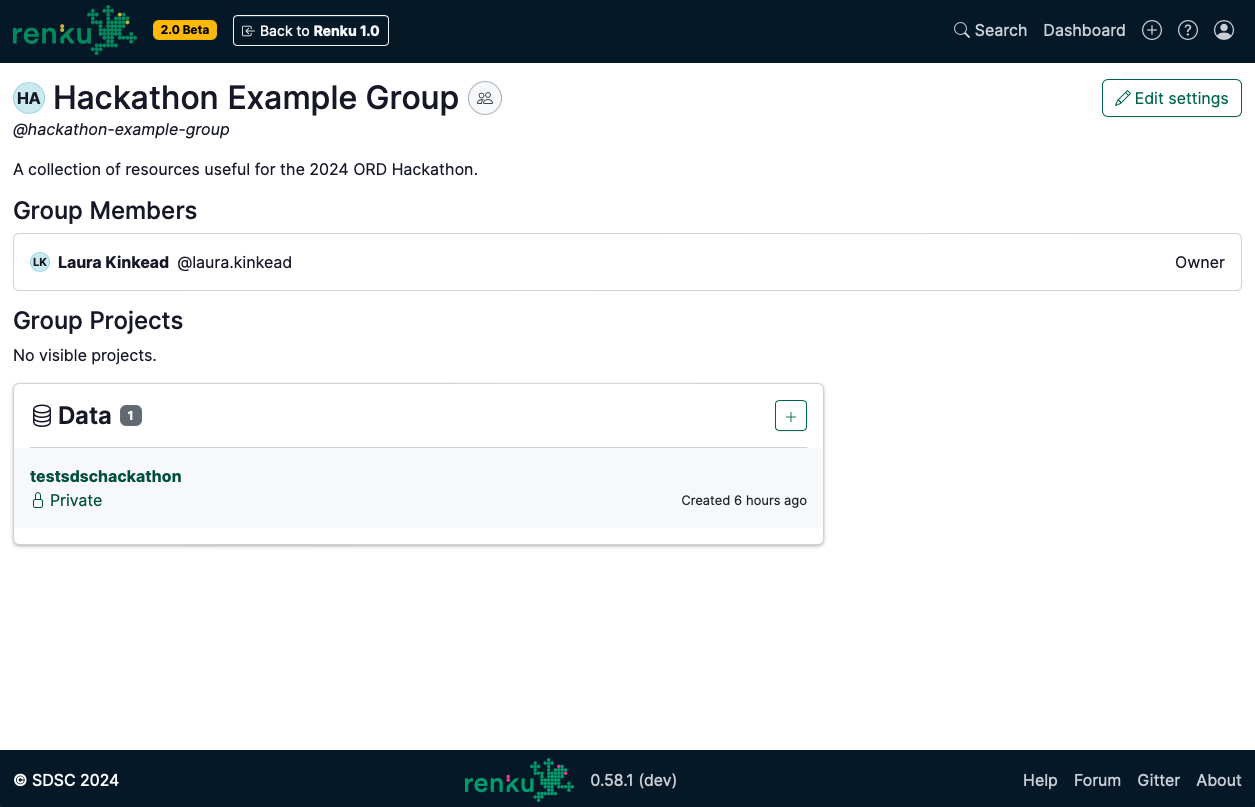
An example of a data connector displayed on a group page.
-
Click on the data connector to open the data connector’s side panel.
-
Next to ID, click the copy button.
Copy a data connector identifier from the side panel.
-
In the project where you want to use the data connector, click the ➕ button next to Data.
-
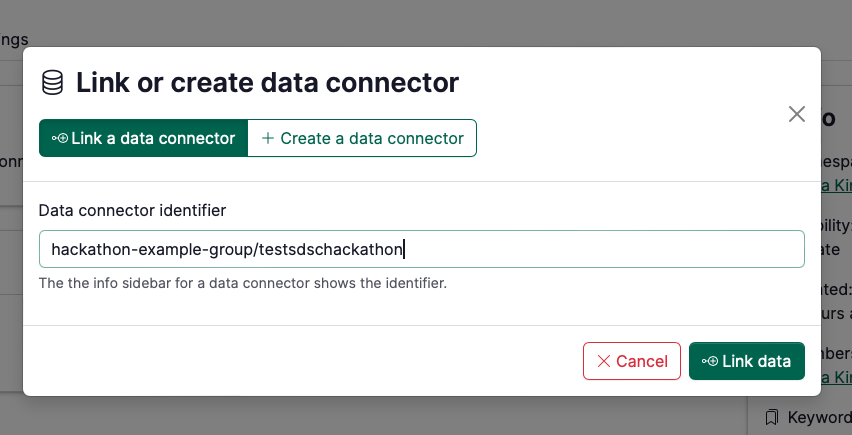
In the Link or create data connector pop up, choose Link a data connector.
-
Paste the data connector ID in the identifier box
Pasting a data connector identifier to connect it to a new project.
-
Click Link data.