Secrets in RenkuLab
What are secrets?
Secrets are sensitive data that you need in sessions but should not be stored in a repository. This includes passwords you might need for accessing a database, API keys for external services, or any other sensitive information.
You can create, replace, and delete secrets from the RenkuLab interface. They are securely stored in our systems and are only available in sessions that you launch. They will be mounted as files in the session container in a path you can customize when starting a new session. Each secret is stored with a unique name, which will be used for the corresponding file name.
Keep in mind that secrets are currently defined per user. They cannot be shared with other users, nor scoped down to a single project. You can select which secrets to use in a session when starting it, so you don’t need to worry about accidentally mounting secrets into a session that you do not need.
Add and change secrets
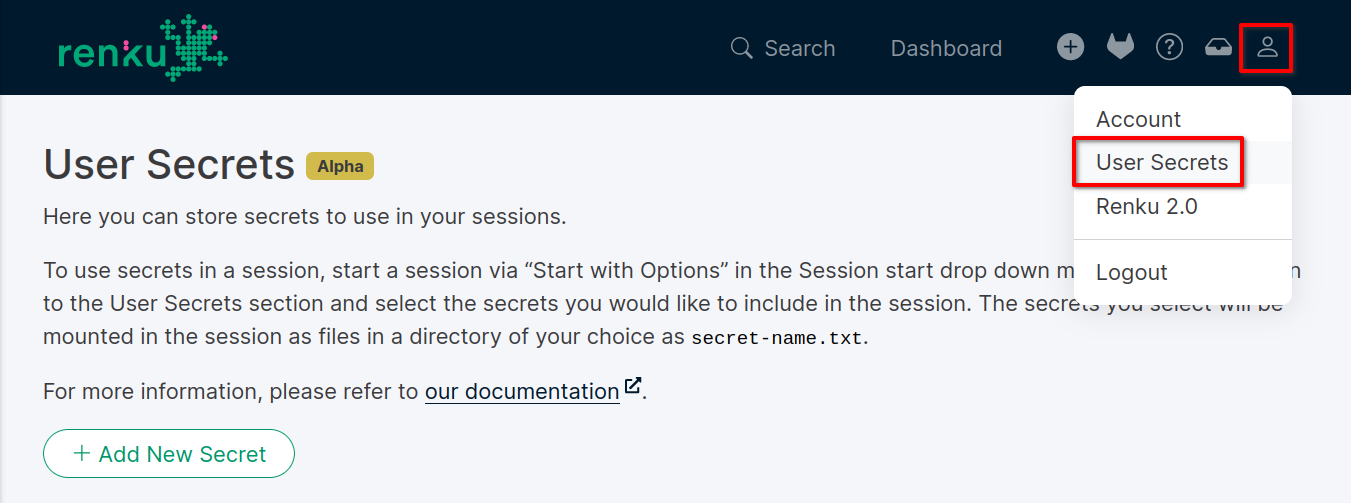
To add a new secret, go to the User Secrets page in the RenkuLab interface. You can find it in the user settings menu on the top right.
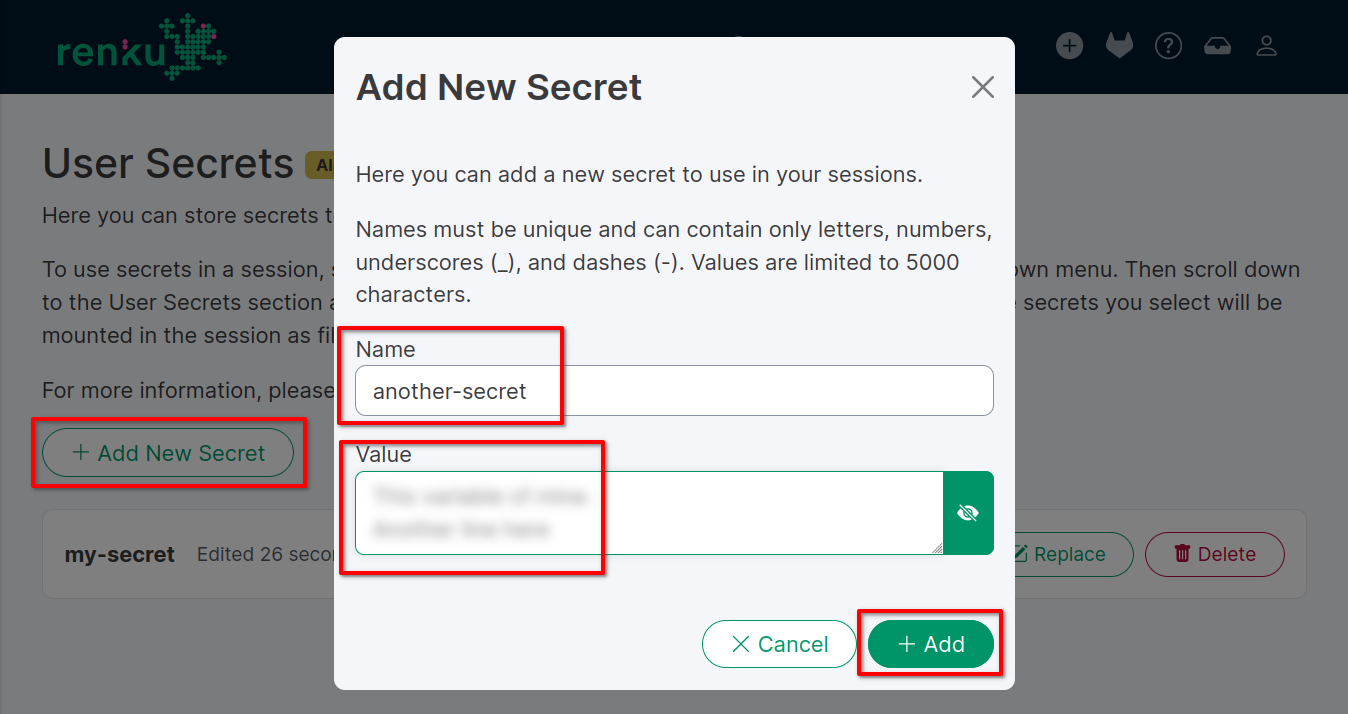
Click on the Add New Secret button and fill in the Name and
Value fields.
The name is a unique identifier for the secret, used for the file name in sessions. It cannot be empty and must follow these validation rules: you can include only letters, numbers, dots (.), underscores (_), and dashes (-).
Values can be any non-empty string, including special characters. The length cannot exceed 5’000 characters. Should you need to store a longer value, consider splitting it into multiple secrets.
Once you add a secret, you cannot see its value again for security
reasons. You can still change it by clicking on the Replace button,
or remove it by clicking on the Delete button. The name cannot be changed;
should you need to rename a secret, please delete it and create a new one
with the new name.
Use secrets in sessions
To use secrets in a session, you need to click on the Start dropdown menu and
select Start with options. Quick-start sessions do not support secrets.
Once on the “Start with options” page, you can select the secrets you want to
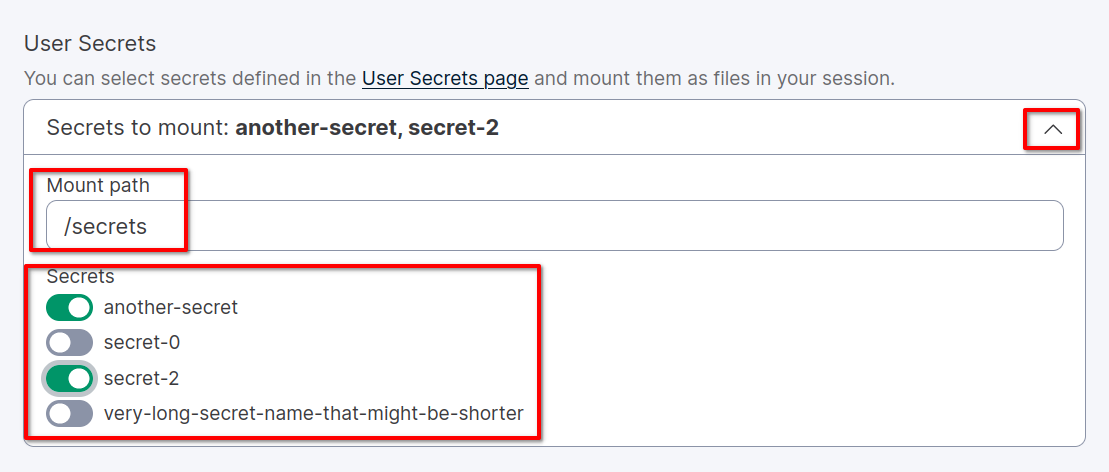
include from the User Secrets section towards the bottom of the page.
Click on the chevron on the right to expand the secrets list and click on
every secret you want to include. You can customize the path where the
secrets will be mounted in the session container by adjusting the
Mount path input. The default path is /secrets. Mind that this is
an absolute path; if you leave the default value, you will not find the folder
in your repository and it might not be immediately accessible on the session
file browser (E.G. JupyterLab).
Click on the Start Session button to start the session with the selected
secrets. You can now access the secrets in the session container at the
specified path. The secrets will be stored in files with the same name.
Note
Secrets will be mounted with the value stored at the session start time. If you change the value of a secret after starting the session, you will need to restart the session to apply the changes.
Security Model
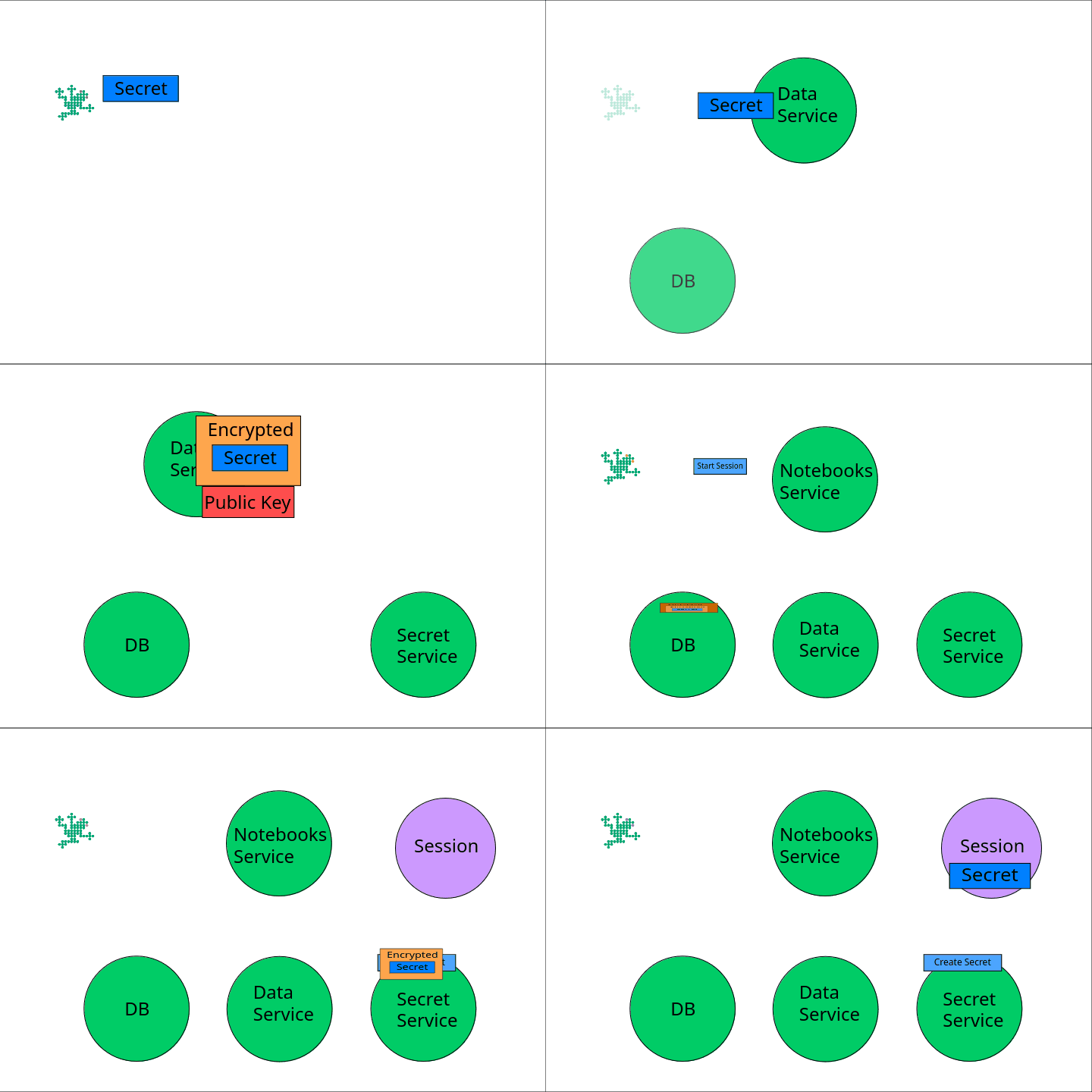
Renku stores secrets in its database, doubly encrypted, ensuring that no part accessible from the internet other than the session has access to decrypted secrets. All secrets are encrypted at rest.
Threat models we address are: - One of our public-facing services being breached - A malicious actor getting a copy of our database (for instance from a backup)
We explicitly do not guard against: - Someone stealing your login details or login token - You starting a malicious session with secrets, as we can’t control the code that runs within a session.
The Renku data service uses symmetric Fernet encryption with a key only it
knows to ensure all data is encrypted at rest in its database.
For each user, a unique user key is generated. In addition, there is a
dedicated secret storage service which has an RSA 2048 bit public key
and a private key, the latter of which is only known to this service. This
service is not accessible to the public internet.
When a user stores a secret, it is first symmetrically encrypted with the
user key, using Fernet. We then generate a random secret key that is
encrypted using the public key and passed to the secret storage
service, meaning only it can decrypt the secret key. The users secret is
then encrypted again using this secret key and stored in the database.
At this point, the data service can’t decrypt the user’s secret anymore, as
it does not know the secret key.
To decrypt a secret, secret storage service gets a request from notebooks
service that a user would like to start a session with some secret mounted.
It uses its private key to get the secret key and uses this to decrypt
the outer layer of encryption of the secret. It then creates a Kubernetes
secret with the (now encrypted once) user secret, which gets mounted in an
init container in the user session.
On session start, that init container reads the mounted secrets, and uses the
user key to undo the inner encryption. It then creates files inside the
user session with the decrypted secret values.
Note that, although we take many precautions to decrypt secrets only when necessary, they are in plain text inside a session. This means that they are visible to whoever has access to the infrastructure where the session is running. If your data is extra sensitive, consider putting already encrypted values into Renku and manually decrypting them once inside the session, with 3rd party encryption.